PTKRDME
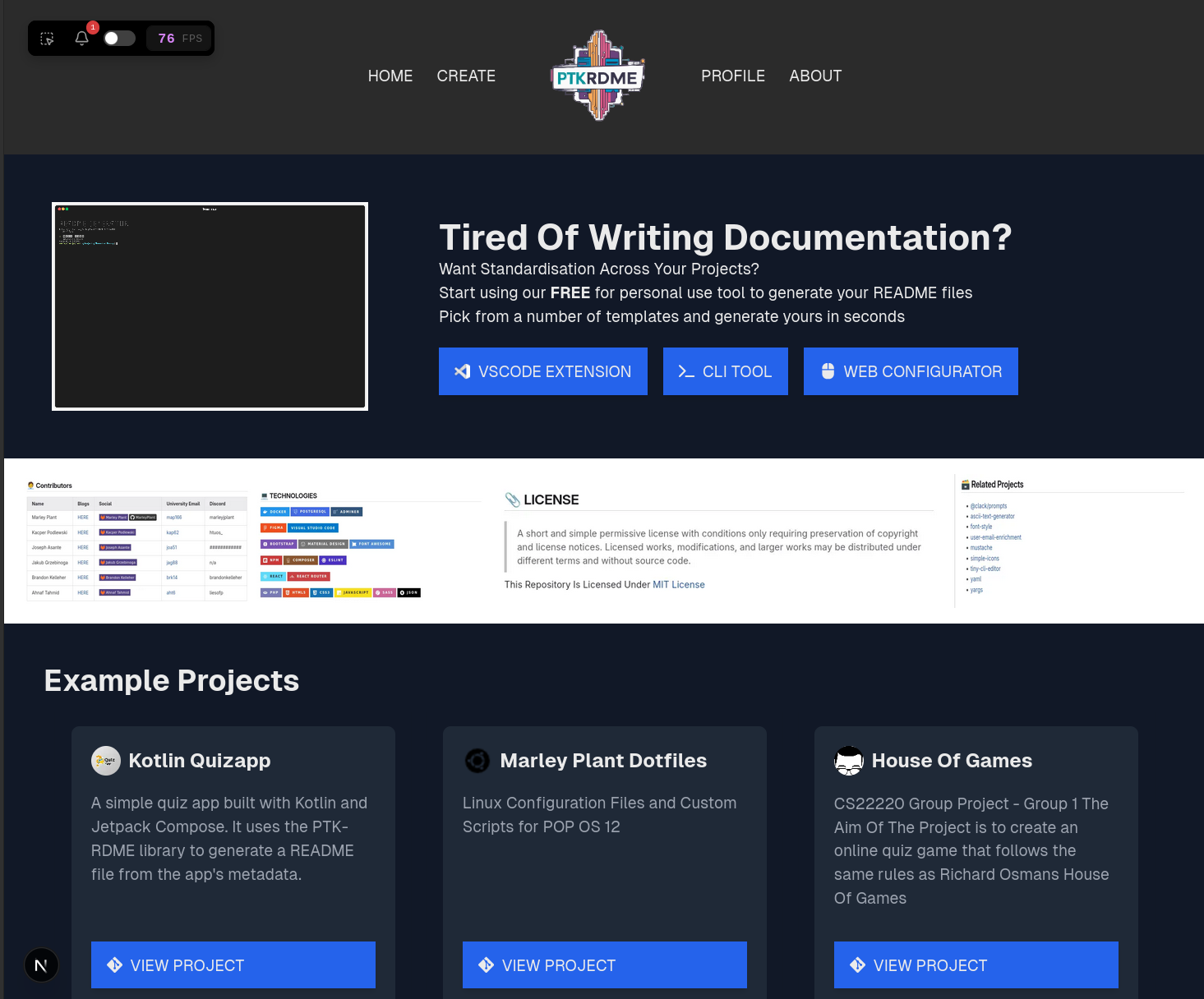
A three-tool ecosystem for generating standardized project README files. Includes a web application (built with the T3 Stack: Next.js, Prisma, tRPC, NextAuth), a CLI tool, and a VSCode extension. Users visually configure README sections — badges, shields, install instructions, contributor tables, license info — and output clean Markdown. Supports user accounts, organisation workspaces, and project templates.
Overview
PTKRDME is a final-year Computer Science dissertation project developed at Aberystwyth University. It addresses a problem every developer has faced: every project's README file is different, and keeping a consistent structure across repositories means endless copy-pasting of badges, shields, contributor tables, and license sections.
The solution is an ecosystem of three integrated tools — a web application, a CLI tool, and a VSCode extension — that let developers visually configure their README files using reusable section blocks.
The Problem
Every open-source or internal project has a README file — but there is no standard format. Repeating the same setup across projects is tedious:
- Copying badge markdown from shields.io or simple-icons
- Manually formatting contributor tables
- Writing installation instructions from scratch
- Finding the right license text
This is time-consuming and error-prone, especially for developers managing multiple repositories.
The Three-Tool Ecosystem
Web Application (Full Stack — T3 Stack)
The web app is the centrepiece, built with the T3 Stack (Next.js, Prisma, NextAuth, tRPC) on PostgreSQL. Users can:
- Configure README sections visually — drag, toggle, and edit section components (badges, shields, installation, contributing, license, related projects) through a config modal interface
- Preview rendered Markdown in real time using react-markdown
- Save configurations to their user profile for later editing
- Create and join organisations to share project templates and configurations across teams
- Authenticate via GitHub or Discord OAuth through NextAuth
The frontend uses React with Tailwind CSS and HeadlessUI components, styled with a custom colour scheme and logo designed using Coolors.co and Canva AI.
CLI Tool
A Node.js-based command-line interface with a TUI (Text User Interface) that works entirely offline. Features include:
- Dependency scanning — analyses project dependencies and recommends relevant technology badges
- Section editor — toggle, configure, and reorder README sections from the terminal
- Config export/import — save configurations as JSON for reuse across projects
- README generation — produces a complete markdown file ready to commit
VSCode Extension
A Visual Studio Code extension that integrates the README configurator directly into the developer's IDE. Built using the VSCode Extension API with a React frontend rendered in a side panel, it provides:
- Project dependency scanning from within the editor
- README generation that writes directly to the project's README.md
- Consistent type definitions shared with the CLI tool and web app
Technology Stack
| Layer | Technology |
|---|---|
| Framework | Next.js (T3 Stack) |
| Frontend | React, TypeScript, Tailwind CSS, HeadlessUI |
| Backend | Next.js API routes, tRPC |
| Database | PostgreSQL via Prisma ORM |
| Authentication | NextAuth (GitHub + Discord OAuth) |
| Payment (planned) | Stripe |
| CLI Tool | Node.js, Inquirer |
| Extension | VSCode Extension API, React |
| Styling | SCSS, Tailwind CSS |
Database Architecture
The PostgreSQL database uses normalised tables (conforming to 3NF) with these core relationships:
- User has many Projects (one-to-many)
- User belongs to many Organisations (many-to-many)
- Session links to a single User
- Project configurations are stored as JSON in the
project.jsoncolumn, using a typedConfigFileTypeScript interface for serialisation safety
The Prisma ORM handles schema migrations and provides type-safe database access, with the shadow database running locally during development (required because the university's PostgreSQL server didn't allow database creation).
Section System Architecture
A key design decision was to make sections modular and extensible. Each section follows a standard type definition:
export type SectionData = {
  order?: number;
  title: string;
  content: string;
  configoptions: {[key: string]: ConfigOption};
  render?: (config: any) => string;
};
Built-in section types include:
- Brands — Select from the full Simple Icons library (900+ icons) with search and multi-select. SVG icons are combined with shields.io to generate inline badge markdown
- Shields — Choose from common shield.io templates with auto-populated query parameters
- License — Pulls license data from the GitHub Licenses API
- Related Projects — Repeater field for adding multiple linked projects
- Installation, Contributing, Development — Text and textarea fields with markdown rendering
New section types can be added by creating a definition in constants.ts and implementing the required field types.
User Feedback and Testing
Testing was conducted in two phases:
- Manual testing — A structured test table covering all core requirements was distributed to testers. All test cases passed.
- User testing — Two Google Form surveys collected feedback on functionality, homepage visual appeal, create page ease of use, and login system. Results showed majority satisfaction, with suggestions for more guided prompting and improved save workflow validation.
Future Development
The dissertation outlines several planned improvements:
- Shared type library — One source of truth for TypeScript types across all three tools
- REST API — Replace direct tRPC with a public REST API for third-party integration
- Organisation member management — Role-based permissions for organisation workspaces
- Profile README support — Toggle between project and profile README modes
- Community section sharing — Allow users to share custom section definitions
- Improved error handling and testing coverage
- Stripe subscription integration for organisation-tier features
Technologies used
Want to build something like this? Let's talk.
Every project is built for a Welsh business, hosted on infrastructure we manage, and backed by ongoing support.